QML
← All components

Code Viewer

Present a live QML example alongside its source code, or show code on its own with highlighting and copying.

import Syidax.Core.CodeViewer

Supported QML types

TypeDefinition / role
Combines a live SyCodeRender preview with a collapsible SyCodeScript source panel.
Hosts the live QML content of a code example; source supplies its displayed code.
Shows highlighted source code with optional line numbers and a copy button.

Learn by example

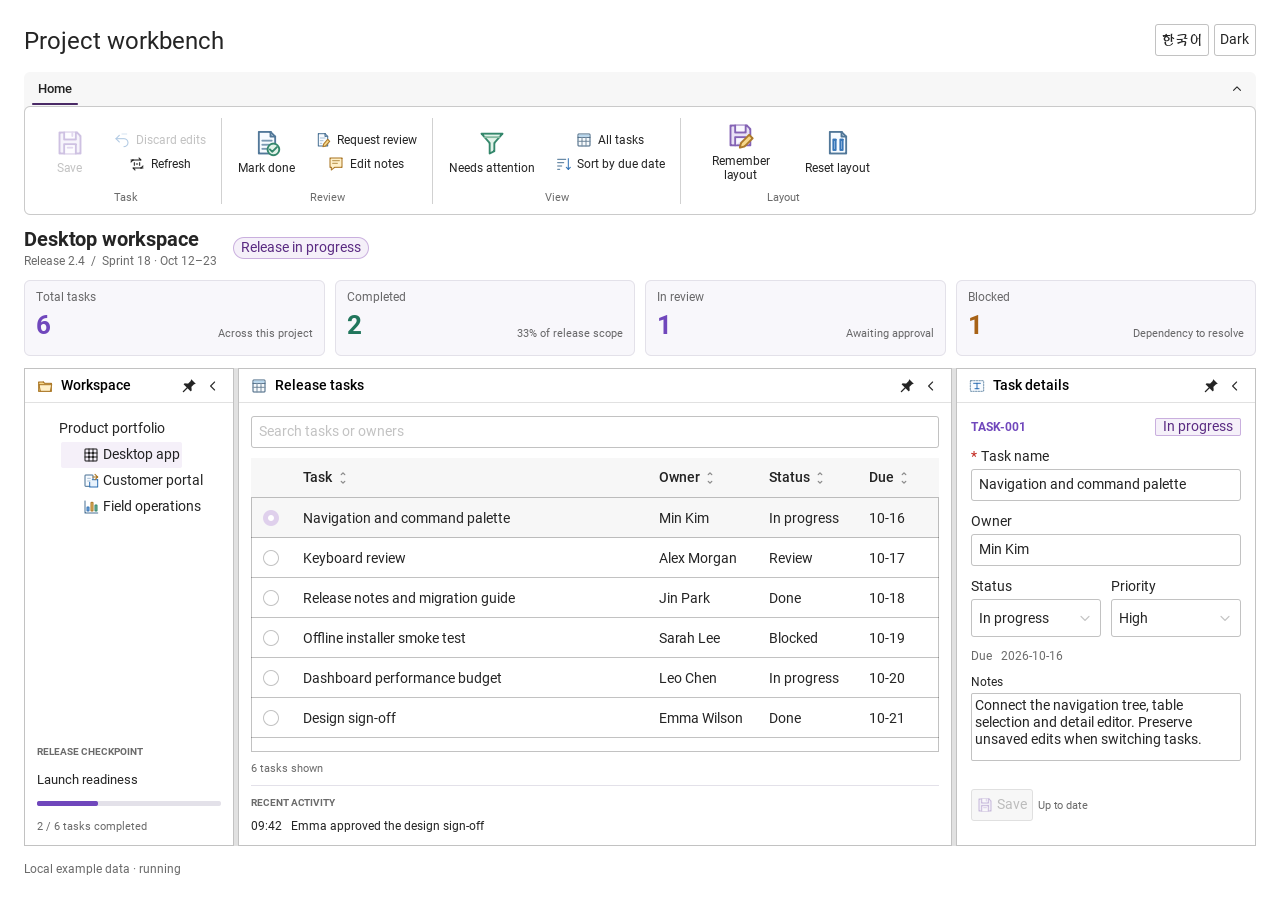
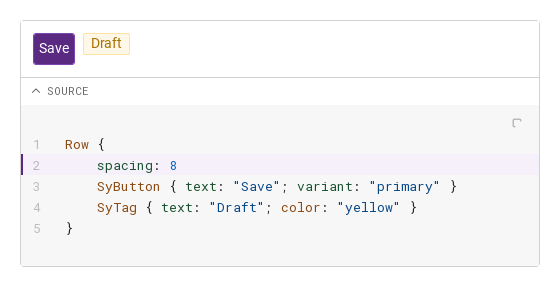
Previews are images of native Qt runs. Use the buttons below each image to view a result.

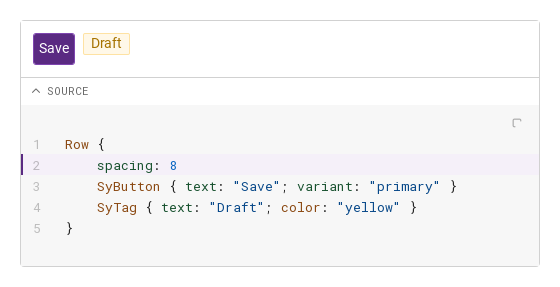
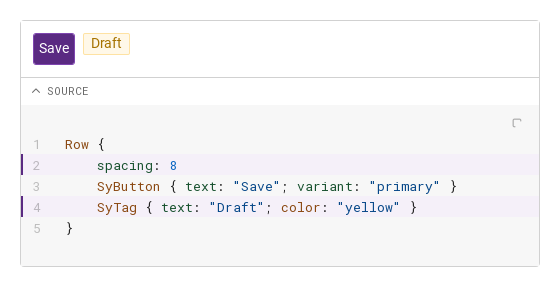
01 Basic composition

Compare the configuration and result of Basic composition.

Qt capture · image
Basic composition · Default
Default execution
QML code
import QtQuick
import Syidax.Core

Item {
    implicitWidth: Math.max(360, childrenRect.width)
    implicitHeight: childrenRect.height
    id: story

    property QtObject settings: QtObject {
        id: storyArgs
        property string language: "qml"
        property bool showLineNumbers: true
        property bool showCopyButton: true
        property bool wrap: false
        property string highlightLines: "2"
        property bool collapsible: true
        property bool defaultExpanded: true
        property string triggerLabel: "SOURCE"
    }

    readonly property string sample: "Row {\n    spacing: 8\n    SyButton { text: " + JSON.stringify("Save") + "; variant: \"primary\" }\n    SyTag { text: " + JSON.stringify("Draft") + "; color: \"yellow\" }\n}"

    SyCodeViewer {
        width: 520
        language: storyArgs.language
        showLineNumbers: storyArgs.showLineNumbers
        showCopyButton: storyArgs.showCopyButton
        wrap: storyArgs.wrap
        highlightLines: storyArgs.highlightLines
        collapsible: storyArgs.collapsible
        defaultExpanded: storyArgs.defaultExpanded
        triggerLabel: storyArgs.triggerLabel
        SyCodeRender {
            source: story.sample
            Row {
                spacing: 8
                SyButton { text: "Save"; variant: "primary" }
                SyTag { text: "Draft"; color: "yellow" }
            }
        }
        SyCodeScript { }
    }

}

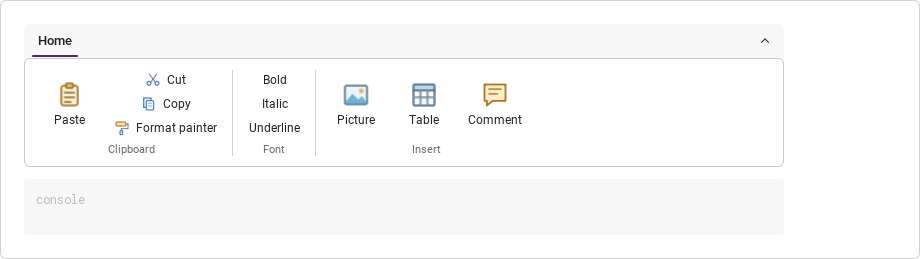
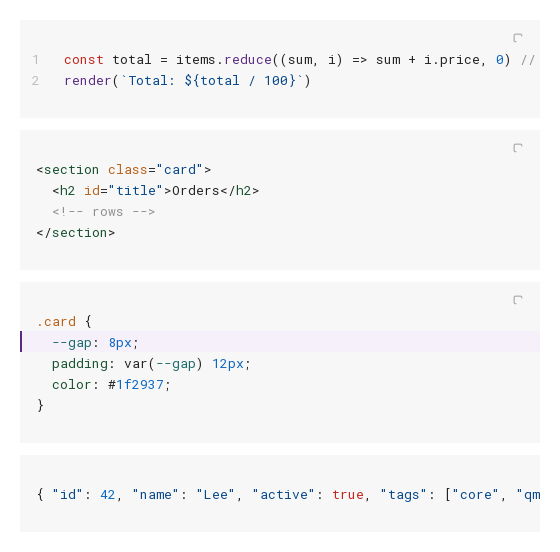
02 SyCodeScript · language

SyCodeScript works on its own as a read-only code panel: set code and language, and the text is tokenised and coloured with the editor palette

Qt capture · image
SyCodeScript · language · Default
Default execution
QML code
import QtQuick
import Syidax.Core

Item {
    implicitWidth: Math.max(360, childrenRect.width)
    implicitHeight: childrenRect.height
    // Focused Gallery routes: keep only the selected API and its prerequisites.

    id: story
    readonly property string js: "const total = items.reduce((sum, i) => sum + i.price, 0) // in cents\nrender(`Total: ${total / 100}`)"
    readonly property string html: "<section class=\"card\">\n  <h2 id=\"title\">Orders</h2>\n  <!-- rows -->\n</section>"
    readonly property string css: ".card {\n  --gap: 8px;\n  padding: var(--gap) 12px;\n  color: #1f2937;\n}"
    readonly property string json: "{ \"id\": 42, \"name\": \"Lee\", \"active\": true, \"tags\": [\"core\", \"qml\"] }"

    Column {
        spacing: 12
        SyCodeScript { id: featureTarget0; width: 520; language: "javascript"; showLineNumbers: true; code: story.js }
        SyCodeScript { id: featureTarget1; width: 520; language: "html"; code: story.html }
        SyCodeScript { id: featureTarget2; width: 520; language: "css"; highlightLines: "2"; code: story.css }
        SyCodeScript { id: featureTarget3; width: 520; language: "json"; showCopyButton: false; code: story.json }
    }
}

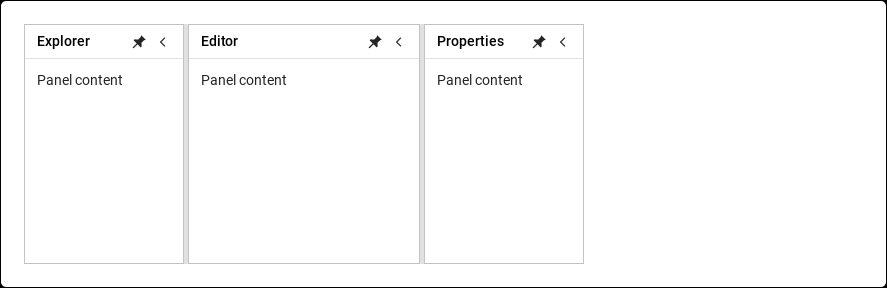
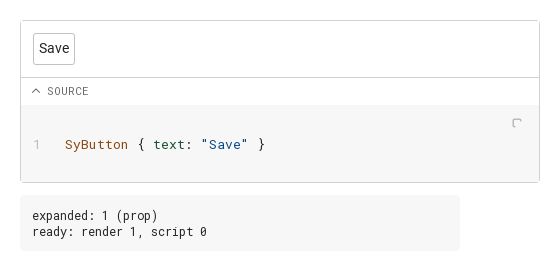
03 ready · expandedChanged · lineClick · copied

Signals of the viewer:

Qt capture · image
ready · expandedChanged · lineClick · copied · Default
Default execution
QML code
import QtQuick
import Syidax.Core

Item {
    component EventLog: Rectangle {
        id: logBox
        property var lines: []
        implicitWidth: 440
        implicitHeight: Math.max(56, logText.implicitHeight + 24)
        radius: 4; color: Theme.semantic.backgroundBold
        function log(value) { lines = lines.slice(-3).concat([String(value)]) }
        Text {
            id: logText; x: 12; y: 12; width: parent.width - 24
            text: logBox.lines.length ? logBox.lines.join("\n") : "Interact with the controls to see event results."
            wrapMode: Text.Wrap; color: Theme.semantic.textDefault
            font.family: Theme.monoFontFamily; font.pixelSize: 12
        }
    }

    implicitWidth: Math.max(360, childrenRect.width)
    implicitHeight: childrenRect.height
    // Focused Gallery routes: keep only the selected API and its prerequisites.

    id: story

    readonly property string sample: "SyButton { text: " + JSON.stringify("Save") + " }"

    Column {
        spacing: 12
        SyCodeViewer {
            id: viewer
            width: 520; language: "qml"; showLineNumbers: true
            onReady: (detail) => { if (true) { output.log(("ready: render %1, script %2").arg(detail.hasRender).arg(detail.hasScript)) } }
            onExpandedChanged: { if (true) { output.log(("expanded: %1 (%2)").arg(viewer.expanded).arg(viewer.lastExpandSource)) } }
            SyCodeRender { source: story.sample; SyButton { text: "Save" } }
            SyCodeScript {
                onLineClick: (detail) => { if (true) { output.log(("lineClick: %1").arg(detail.line)) } }
                onCopied: (detail) => { if (true) { output.log(("copied: %1").arg(detail.language)) } }
            }
        }
        EventLog { id: output }
    }
}

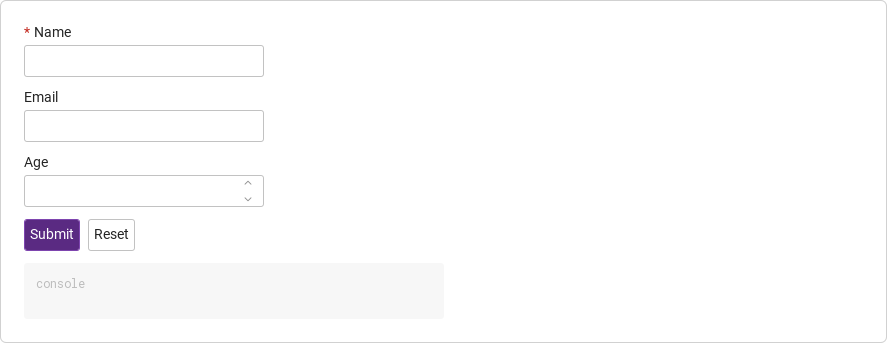
04 Highlight selected lines

Highlight selected lines, configured with highlightLines.

Qt capture · image
Highlight selected lines · Result
Default execution
QML code
import QtQuick
import Syidax.Core

Item {
    implicitWidth: Math.max(360, childrenRect.width)
    implicitHeight: childrenRect.height
    id: story

    property QtObject settings: QtObject {
        id: storyArgs
        property string language: "qml"
        property bool showLineNumbers: true
        property bool showCopyButton: true
        property bool wrap: false
        property string highlightLines: "2,4"
        property bool collapsible: true
        property bool defaultExpanded: true
        property string triggerLabel: "SOURCE"
    }

    readonly property string sample: "Row {\n    spacing: 8\n    SyButton { text: " + JSON.stringify("Save") + "; variant: \"primary\" }\n    SyTag { text: " + JSON.stringify("Draft") + "; color: \"yellow\" }\n}"

    SyCodeViewer {
        width: 520
        language: storyArgs.language
        showLineNumbers: storyArgs.showLineNumbers
        showCopyButton: storyArgs.showCopyButton
        wrap: storyArgs.wrap
        highlightLines: storyArgs.highlightLines
        collapsible: storyArgs.collapsible
        defaultExpanded: storyArgs.defaultExpanded
        triggerLabel: storyArgs.triggerLabel
        SyCodeRender {
            source: story.sample
            Row {
                spacing: 8
                SyButton { text: "Save"; variant: "primary" }
                SyTag { text: "Draft"; color: "yellow" }
            }
        }
        SyCodeScript { }
    }

}

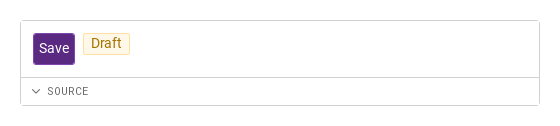
05 Initially collapsed

Initially collapsed, configured with collapsible, defaultExpanded.

Qt capture · image
Initially collapsed · Result
Default execution
QML code
import QtQuick
import Syidax.Core

Item {
    implicitWidth: Math.max(360, childrenRect.width)
    implicitHeight: childrenRect.height
    id: story

    property QtObject settings: QtObject {
        id: storyArgs
        property string language: "qml"
        property bool showLineNumbers: true
        property bool showCopyButton: true
        property bool wrap: false
        property string highlightLines: "2"
        property bool collapsible: true
        property bool defaultExpanded: false
        property string triggerLabel: "SOURCE"
    }

    readonly property string sample: "Row {\n    spacing: 8\n    SyButton { text: " + JSON.stringify("Save") + "; variant: \"primary\" }\n    SyTag { text: " + JSON.stringify("Draft") + "; color: \"yellow\" }\n}"

    SyCodeViewer {
        width: 520
        language: storyArgs.language
        showLineNumbers: storyArgs.showLineNumbers
        showCopyButton: storyArgs.showCopyButton
        wrap: storyArgs.wrap
        highlightLines: storyArgs.highlightLines
        collapsible: storyArgs.collapsible
        defaultExpanded: storyArgs.defaultExpanded
        triggerLabel: storyArgs.triggerLabel
        SyCodeRender {
            source: story.sample
            Row {
                spacing: 8
                SyButton { text: "Save"; variant: "primary" }
                SyTag { text: "Draft"; color: "yellow" }
            }
        }
        SyCodeScript { }
    }

}

06 Wrap long lines

Wrap long lines, configured with wrap.

Qt capture · image
Wrap long lines · Result
Default execution
QML code
import QtQuick
import Syidax.Core

Item {
    implicitWidth: Math.max(360, childrenRect.width)
    implicitHeight: childrenRect.height
    id: story

    property QtObject settings: QtObject {
        id: storyArgs
        property string language: "qml"
        property bool showLineNumbers: true
        property bool showCopyButton: true
        property bool wrap: true
        property string highlightLines: "2"
        property bool collapsible: true
        property bool defaultExpanded: true
        property string triggerLabel: "SOURCE"
    }

    readonly property string sample: "Row {\n    spacing: 8\n    SyButton { text: " + JSON.stringify("Save") + "; variant: \"primary\" }\n    SyTag { text: " + JSON.stringify("Draft") + "; color: \"yellow\" }\n}"

    SyCodeViewer {
        width: 520
        language: storyArgs.language
        showLineNumbers: storyArgs.showLineNumbers
        showCopyButton: storyArgs.showCopyButton
        wrap: storyArgs.wrap
        highlightLines: storyArgs.highlightLines
        collapsible: storyArgs.collapsible
        defaultExpanded: storyArgs.defaultExpanded
        triggerLabel: storyArgs.triggerLabel
        SyCodeRender {
            source: story.sample
            Row {
                spacing: 8
                SyButton { text: "Save"; variant: "primary" }
                SyTag { text: "Draft"; color: "yellow" }
            }
        }
        SyCodeScript { }
    }

}

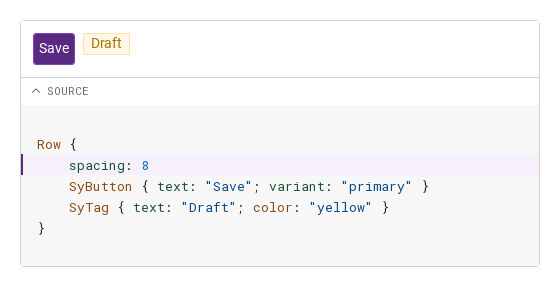
07 Minimal code block

Minimal code block, configured with showLineNumbers, showCopyButton.

Qt capture · image
Minimal code block · Result
Default execution
QML code
import QtQuick
import Syidax.Core

Item {
    implicitWidth: Math.max(360, childrenRect.width)
    implicitHeight: childrenRect.height
    id: story

    property QtObject settings: QtObject {
        id: storyArgs
        property string language: "qml"
        property bool showLineNumbers: false
        property bool showCopyButton: false
        property bool wrap: false
        property string highlightLines: "2"
        property bool collapsible: true
        property bool defaultExpanded: true
        property string triggerLabel: "SOURCE"
    }

    readonly property string sample: "Row {\n    spacing: 8\n    SyButton { text: " + JSON.stringify("Save") + "; variant: \"primary\" }\n    SyTag { text: " + JSON.stringify("Draft") + "; color: \"yellow\" }\n}"

    SyCodeViewer {
        width: 520
        language: storyArgs.language
        showLineNumbers: storyArgs.showLineNumbers
        showCopyButton: storyArgs.showCopyButton
        wrap: storyArgs.wrap
        highlightLines: storyArgs.highlightLines
        collapsible: storyArgs.collapsible
        defaultExpanded: storyArgs.defaultExpanded
        triggerLabel: storyArgs.triggerLabel
        SyCodeRender {
            source: story.sample
            Row {
                spacing: 8
                SyButton { text: "Save"; variant: "primary" }
                SyTag { text: "Draft"; color: "yellow" }
            }
        }
        SyCodeScript { }
    }

}

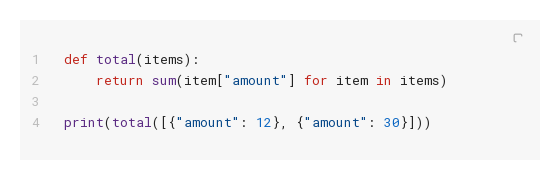
08 Python syntax

Python syntax, configured with language.

Qt capture · image
Python syntax · Result
Default execution
QML code
import QtQuick
import Syidax.Core

SyCodeScript {
    width: 520
    language: "python"
    showLineNumbers: true
    code: "def total(items):\n    return sum(item[\"amount\"] for item in items)\n\nprint(total([{\"amount\": 12}, {\"amount\": 30}]))"
}

API 82

Hover or select an item for its QML example and copy button.

Properties · SyCodeViewer

PropertyTypeDefaultDescription
string"plaintext"The tokeniser for the script (unless the script sets its own language).
boolfalseThe gutter in the script (inherited).
booltrueThe copy button in the script (inherited).
boolfalseWrap long lines instead of horizontal scrolling (inherited).
real0Caps the script's height in px and scrolls the rest; 0 = unbounded (inherited).
string"""3,5-7" — 1-based lines and ranges to tint (inherited).
booltrueShows the *SOURCE* bar when both parts exist.
booltrueThe initial value of expanded.
booldefaultExpandedWhether the script is shown under the bar; ignored when there is no bar.
string"SOURCE"The bar's text.
varnullThe collected SyCodeRender / SyCodeScript.
bool (read-only)—Whether each part was found.
string (read-only)—The render's source ("" without a render).
var (read-only)—highlightLines parsed to a sorted array of line numbers.
bool (read-only)—Whether the bar is drawn
bool (read-only)—whether the script is currently visible.
string"prop""user" while expandedChanged handlers run for a user toggle, else "prop".

Properties · SyCodeRender

PropertyTypeDefaultDescription
string""The code text the paired script shows when its own code is empty.
varnullThe viewer (set by the viewer).
——The live items, drawn on a tinted stage with 12 px of padding.

Properties · SyCodeScript

PropertyTypeDefaultDescription
string""The text to show; "" inside a viewer = the render's source.
string""The tokeniser id or alias; "" = the viewer's, else plain text.
varundefinedundefined = inherit from the viewer; standalone defaults false · true · false · 0 · "".
varnullThe viewer (set by the viewer).
string (read-only)—What is actually shown and tokenised.
read-only—The effective settings after inheritance.
read-only—The token lines
read-only—their number
read-only—the highlighted line numbers.
real (read-only)21The row height
real (read-only)—the gutter width (0 without line numbers).

Methods

MethodDescription
Flips expanded as a user action.
Sets expanded as a user action (lastExpandSource = "user").
Re-scans the children for the render and the script (called automatically).
Copies resolvedCode to the clipboard and emits copied.

Signals

SignalArgumentsWhen
detail: { hasRender, hasScript }Once, after completion and the first collection of the parts.
—expanded changed by the user (lastExpandSource === "user") or by a binding / assignment ("prop").
—The properties' own signals.
detail: { line }A line number was clicked (needs showLineNumbers); 1-based.
detail: { code, language }The copy button or copy() put the text on the clipboard.
—The code property changed.

Behavior

ItemBehavior / conditions
The viewer's children are collected at completion and whenever they change: an item with codeRender === true becomes render and is parented into the top area; one with codeScript === true becomes script and goes into the bottom area; each gets owner set to the viewer.
The viewer (set by the viewer).
Once, after completion and the first collection of the parts.
SyCodeScript.resolvedCode is its own code when non-empty, otherwise the owner render's source, otherwise "". It — or copy() — puts resolvedCode on the system clipboard through a hidden text edit and emits copied.
The text to show; "" inside a viewer = the render's source.
The code text the paired script shows when its own code is empty.
resolvedLanguage is its own language, else the viewer's, else "plaintext".
The tokeniser id or alias; "" = the viewer's, else plain text.
The bar's text.
Shows the *SOURCE* bar when both parts exist.
Flips expanded as a user action.
Whether the script is shown under the bar; ignored when there is no bar.
The initial value of expanded.
Sets expanded as a user action (lastExpandSource = "user").
"user" while expandedChanged handlers run for a user toggle, else "prop".
expanded changed by the user (lastExpandSource === "user") or by a binding / assignment ("prop").
Lines listed in highlightLines — "3,5-7,12", 1-based, inclusive ranges, any order — get a tinted background and a 2 px brand-coloured left edge.
With showLineNumbers a right-aligned gutter (at least 28 px, wider for long files) shows the numbers; clicking one emits lineClick.
A line number was clicked (needs showLineNumbers); 1-based.
Long lines scroll horizontally unless wrap is on; with scriptHeight > 0 the panel is capped at that height and scrolls vertically.
Long lines scroll horizontally unless wrap is on; with scriptHeight > 0 the panel is capped at that height and scrolls vertically. SyCodeRender is as tall as its children plus 12 px of padding on each side and has a tinted stage background; SyCodeScript standalone is 480 wide unless its parent sets a width, and as tall as its lines (plus 56 px of padding) or scriptHeight.
Copies resolvedCode to the clipboard and emits copied.
The copy button or copy() put the text on the clipboard.
The viewer has implicitWidth 480 and an implicitHeight of render + bar + script (when shown) + 2 px of border; the render and the script take the viewer's inner width.

Keyboard

ItemBehavior / conditions
SyButton (the copy button), SyIcon / Icons.editorCopy, Theme.editor (the token palette).