QML
← 전체 컴포넌트

Modal

확인, 입력 또는 별도 작업에 집중할 수 있도록 앱 위에 대화상자를 엽니다.

import Syidax.Core.Modal

지원 QML 타입

타입정의 / 역할
열린 동안 포커스와 상호작용을 내부에 유지하는 모달 대화상자입니다.

예제로 보기

미리보기는 Qt 실행 화면의 이미지입니다. 아래 버튼으로 결과를 전환하세요.

01 기본 구성

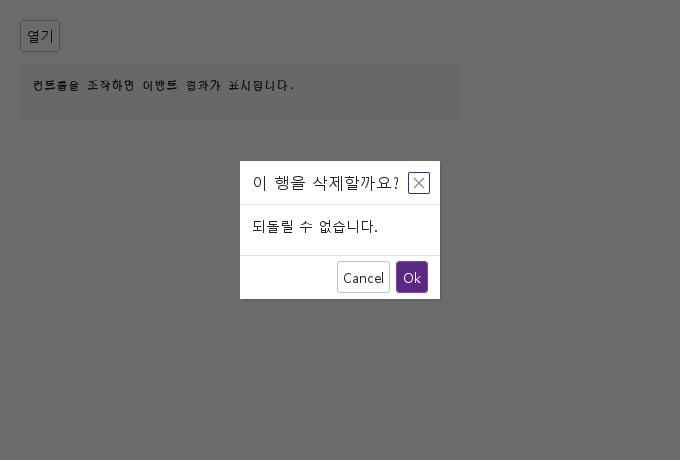
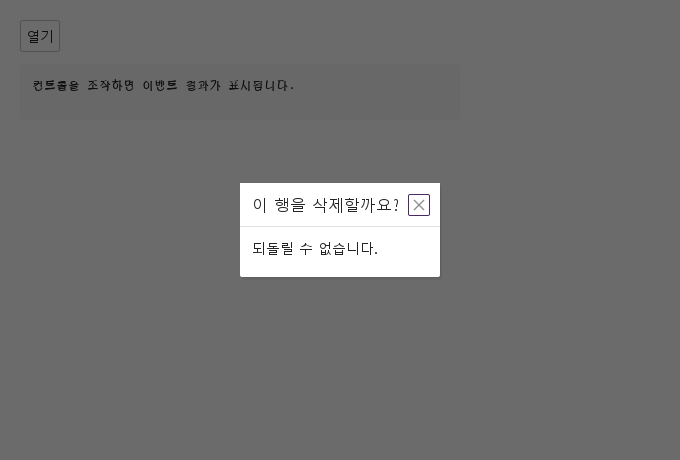
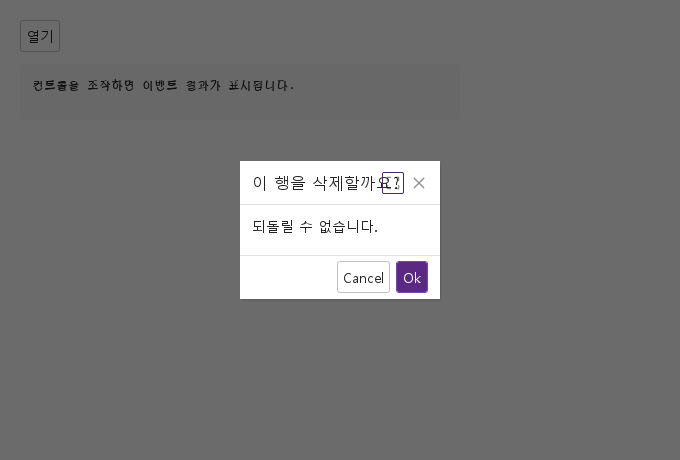
SyModal은 애플리케이션 창 전체를 덮는 마스크 위에 보이는 창입니다: title이 있는 헤더(더하여 header의 아이템과 closable의 ×), 안에 선언한 것으로 이루어진 본문, 그리고 *Cancel* / *Ok* 버튼(cancelText / okText)이 있는 푸터 — 또는 직접 넣은 footer 아이템, 또는 hideFooter로 없앰.

Qt 실행 화면 · 이미지
기본 구성 · 열린 화면
QML 코드
import QtQuick
import Syidax.Core

Item {
    component EventLog: Rectangle {
        id: logBox
        property var lines: []
        implicitWidth: 440
        implicitHeight: Math.max(56, logText.implicitHeight + 24)
        radius: 4; color: Theme.semantic.backgroundBold
        function log(value) { lines = lines.slice(-3).concat([String(value)]) }
        Text {
            id: logText; x: 12; y: 12; width: parent.width - 24
            text: logBox.lines.length ? logBox.lines.join("\n") : "컨트롤을 조작하면 이벤트 결과가 표시됩니다."
            wrapMode: Text.Wrap; color: Theme.semantic.textDefault
            font.family: Theme.monoFontFamily; font.pixelSize: 12
        }
    }

    implicitWidth: Math.max(360, childrenRect.width)
    implicitHeight: childrenRect.height

    property QtObject settings: QtObject {
        id: storyArgs
        property string variant: "dialog"
        property string title: "이 행을 삭제할까요?"
        property bool closable: true
        property bool hideFooter: false
        property bool maskClosable: false
        property bool maskless: false
        property bool enableModalMaximize: false
        property string animation: "none"
        property string cancelText: ""
        property string okText: ""
    }


    Column {
        spacing: 12
        SyModal {
            id: dialog
            variant: storyArgs.variant
            title: storyArgs.title
            closable: storyArgs.closable
            hideFooter: storyArgs.hideFooter
            maskClosable: storyArgs.maskClosable
            maskless: storyArgs.maskless
            enableModalMaximize: storyArgs.enableModalMaximize
            animation: storyArgs.animation
            cancelText: storyArgs.cancelText
            okText: storyArgs.okText
            onClosed: (detail) => output.log(detail.event)
            Text { text: "되돌릴 수 없습니다."; font.family: Theme.fontFamily; font.pixelSize: 14; color: Theme.modal.contentTextEnabled }
        }
        SyButton { id: exampleControl1;  text: "열기"; onClicked: dialog.setOpen() }
        EventLog { id: output }
    }

}

02 variant · enableModalMaximize · windowWidth · windowHeight

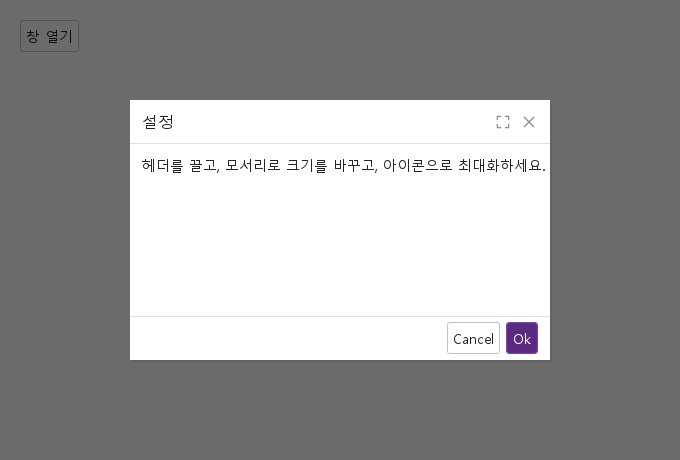
variant: "modal"은 대화 상자를 창으로 바꿉니다: 헤더가 끌기 손잡이가 되고(커서: 이동), 네 가장자리와 모서리가 크기 조절 손잡이가 되며(최소 200 px 폭, 헤더 + 푸터 + 50 px 높이), enableModalMaximize면 × 앞에 최대화 아이콘이 나타나 복원 기하와 시트 전체 사이를 토글합니다(maximized, setMaximum()).

Qt 실행 화면 · 이미지
variant · enableModalMaximize · windowWidth · windowHeight · 열린 화면
QML 코드
import QtQuick
import Syidax.Core

Item {
    implicitWidth: Math.max(360, childrenRect.width)
    implicitHeight: childrenRect.height
    // Focused Gallery routes: keep only the selected API and its prerequisites.
    id: featureStory

    property QtObject settings: QtObject {
        id: storyArgs
        property int windowWidth: 420
        property int windowHeight: 260
        property bool enableModalMaximize: true
    }


    Column {
        spacing: 12
        SyModal {
            id: settings
            variant: "modal"
            title: "설정"
            open: true
            closable: true
            enableModalMaximize: storyArgs.enableModalMaximize
            windowWidth: storyArgs.windowWidth
            windowHeight: storyArgs.windowHeight
            Text { text: "헤더를 끌고, 모서리로 크기를 바꾸고, 아이콘으로 최대화하세요."; font.family: Theme.fontFamily; font.pixelSize: 14; color: Theme.modal.contentTextEnabled }
        }
        SyButton { text: "창 열기"; onClicked: settings.setOpen() }
    }
}

03 closed

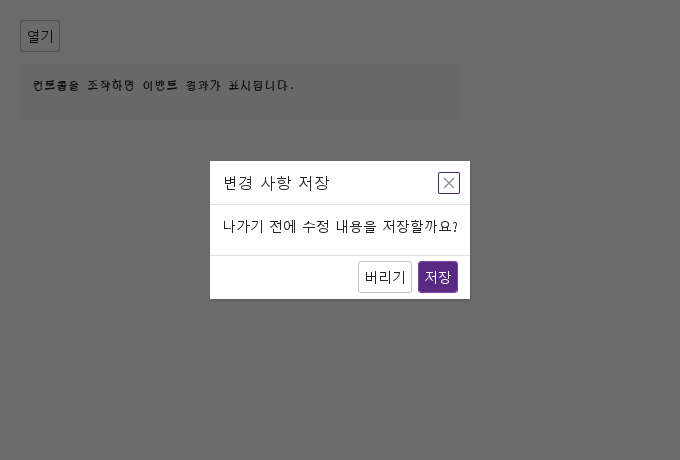
closed(detail)은 모달의 유일한 사용자 정의 시그널입니다.

Qt 실행 화면 · 이미지
closed · 열린 화면
QML 코드
import QtQuick
import Syidax.Core

Item {
    component EventLog: Rectangle {
        id: logBox
        property var lines: []
        implicitWidth: 440
        implicitHeight: Math.max(56, logText.implicitHeight + 24)
        radius: 4; color: Theme.semantic.backgroundBold
        function log(value) { lines = lines.slice(-3).concat([String(value)]) }
        Text {
            id: logText; x: 12; y: 12; width: parent.width - 24
            text: logBox.lines.length ? logBox.lines.join("\n") : "컨트롤을 조작하면 이벤트 결과가 표시됩니다."
            wrapMode: Text.Wrap; color: Theme.semantic.textDefault
            font.family: Theme.monoFontFamily; font.pixelSize: 12
        }
    }

    implicitWidth: Math.max(360, childrenRect.width)
    implicitHeight: childrenRect.height


    Column {
        spacing: 12
        SyModal {
            id: dialog
            title: "변경 사항 저장"
            closable: true
            onClosed: (detail) => output.log(("closed: %1 · value: %2").arg(detail.event).arg(detail.value))
            footer: [
                SyButton { id: exampleControl1;  text: "버리기"; onClicked: dialog.setCancel("discard") },
                SyButton { id: exampleControl2;  text: "저장"; variant: "primary"; onClicked: dialog.setOk("saved") }
            ]
            Text { text: "나가기 전에 수정 내용을 저장할까요?"; font.family: Theme.fontFamily; font.pixelSize: 14; color: Theme.modal.contentTextEnabled }
        }
        SyButton { id: exampleControl3;  text: "열기"; onClicked: dialog.setOpen() }
        EventLog { id: output }
    }
}

04 setOpen · setClose · setCancel · setOk · setMaximum

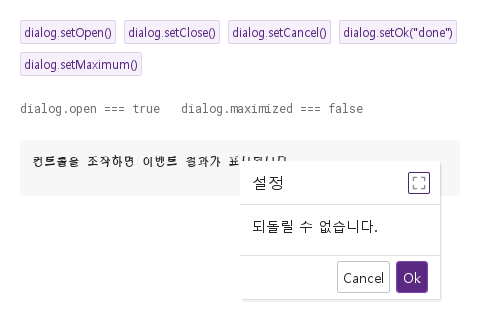
- setOpen() — open = true로 둡니다: 시트가 나타나고, 창이 windowX / windowY / windowWidth / windowHeight로 가운데에 그 크기로 놓이며(place()), 진입 애니메이션이 재생되고, 시트가 키보드 포커스를 가져갑니다.

Qt 실행 화면 · 이미지
setOpen · setClose · setCancel · setOk · setMaximum · 열린 화면
QML 코드
import QtQuick
import Syidax.Core

Item {
    component EventLog: Rectangle {
        id: logBox
        property var lines: []
        implicitWidth: 440
        implicitHeight: Math.max(56, logText.implicitHeight + 24)
        radius: 4; color: Theme.semantic.backgroundBold
        function log(value) { lines = lines.slice(-3).concat([String(value)]) }
        Text {
            id: logText; x: 12; y: 12; width: parent.width - 24
            text: logBox.lines.length ? logBox.lines.join("\n") : "컨트롤을 조작하면 이벤트 결과가 표시됩니다."
            wrapMode: Text.Wrap; color: Theme.semantic.textDefault
            font.family: Theme.monoFontFamily; font.pixelSize: 12
        }
    }

    implicitWidth: Math.max(360, childrenRect.width)
    implicitHeight: childrenRect.height
    // Focused Gallery routes: keep only the selected API and its prerequisites.
    id: featureStory

    Column {
        spacing: 24
        SyModal { id: dialog; variant: "modal"; title: "설정"; maskless: true; enableModalMaximize: true; onClosed: (detail) => output.log(detail.event); Text { text: "되돌릴 수 없습니다."; font.family: Theme.fontFamily; font.pixelSize: 14; color: Theme.modal.contentTextEnabled } }
        Flow {
            width: 480
            spacing: 8
            SyButton { id: exampleControl1;  visible: true; text: "dialog.setOpen()"; variant: "secondary"; size: "small"; onClicked: dialog.setOpen() }
            SyButton { id: exampleControl2;  visible: true; text: "dialog.setClose()"; variant: "secondary"; size: "small"; onClicked: dialog.setClose() }
            SyButton { id: exampleControl3;  visible: true; text: "dialog.setCancel()"; variant: "secondary"; size: "small"; onClicked: dialog.setCancel() }
            SyButton { visible: true; text: "dialog.setOk(\"done\")"; variant: "secondary"; size: "small"; onClicked: dialog.setOk("done") }
            SyButton { visible: true; text: "dialog.setMaximum()"; variant: "secondary"; size: "small"; onClicked: dialog.setMaximum() }
        }
        Text {
            text: "dialog.open === " + dialog.open + "   dialog.maximized === " + dialog.maximized
            font.family: Theme.monoFontFamily
            font.pixelSize: 12
            color: Theme.semantic.textSubtle
        }
        EventLog { id: output }
    }
}

05 본문 중심 대화상자

hideFooter 설정을 적용한 본문 중심 대화상자 예제입니다.

Qt 실행 화면 · 이미지
본문 중심 대화상자 · 열린 화면
QML 코드
import QtQuick
import Syidax.Core

Item {
    component EventLog: Rectangle {
        id: logBox
        property var lines: []
        implicitWidth: 440
        implicitHeight: Math.max(56, logText.implicitHeight + 24)
        radius: 4; color: Theme.semantic.backgroundBold
        function log(value) { lines = lines.slice(-3).concat([String(value)]) }
        Text {
            id: logText; x: 12; y: 12; width: parent.width - 24
            text: logBox.lines.length ? logBox.lines.join("\n") : "컨트롤을 조작하면 이벤트 결과가 표시됩니다."
            wrapMode: Text.Wrap; color: Theme.semantic.textDefault
            font.family: Theme.monoFontFamily; font.pixelSize: 12
        }
    }

    implicitWidth: Math.max(360, childrenRect.width)
    implicitHeight: childrenRect.height

    property QtObject settings: QtObject {
        id: storyArgs
        property string variant: "dialog"
        property string title: "이 행을 삭제할까요?"
        property bool closable: true
        property bool hideFooter: true
        property bool maskClosable: false
        property bool maskless: false
        property bool enableModalMaximize: false
        property string animation: "none"
        property string cancelText: ""
        property string okText: ""
    }


    Column {
        spacing: 12
        SyModal {
            id: dialog
            variant: storyArgs.variant
            title: storyArgs.title
            closable: storyArgs.closable
            hideFooter: storyArgs.hideFooter
            maskClosable: storyArgs.maskClosable
            maskless: storyArgs.maskless
            enableModalMaximize: storyArgs.enableModalMaximize
            animation: storyArgs.animation
            cancelText: storyArgs.cancelText
            okText: storyArgs.okText
            onClosed: (detail) => output.log(detail.event)
            Text { text: "되돌릴 수 없습니다."; font.family: Theme.fontFamily; font.pixelSize: 14; color: Theme.modal.contentTextEnabled }
        }
        SyButton { text: "열기"; onClicked: dialog.setOpen() }
        EventLog { id: output }
    }

}

06 최대화 가능한 대화상자

enableModalMaximize · variant 설정을 적용한 최대화 가능한 대화상자 예제입니다.

Qt 실행 화면 · 이미지
최대화 가능한 대화상자 · 열린 화면
QML 코드
import QtQuick
import Syidax.Core

Item {
    component EventLog: Rectangle {
        id: logBox
        property var lines: []
        implicitWidth: 440
        implicitHeight: Math.max(56, logText.implicitHeight + 24)
        radius: 4; color: Theme.semantic.backgroundBold
        function log(value) { lines = lines.slice(-3).concat([String(value)]) }
        Text {
            id: logText; x: 12; y: 12; width: parent.width - 24
            text: logBox.lines.length ? logBox.lines.join("\n") : "컨트롤을 조작하면 이벤트 결과가 표시됩니다."
            wrapMode: Text.Wrap; color: Theme.semantic.textDefault
            font.family: Theme.monoFontFamily; font.pixelSize: 12
        }
    }

    implicitWidth: Math.max(360, childrenRect.width)
    implicitHeight: childrenRect.height

    property QtObject settings: QtObject {
        id: storyArgs
        property string variant: "modal"
        property string title: "이 행을 삭제할까요?"
        property bool closable: true
        property bool hideFooter: false
        property bool maskClosable: false
        property bool maskless: false
        property bool enableModalMaximize: true
        property string animation: "none"
        property string cancelText: ""
        property string okText: ""
    }


    Column {
        spacing: 12
        SyModal {
            id: dialog
            variant: storyArgs.variant
            title: storyArgs.title
            closable: storyArgs.closable
            hideFooter: storyArgs.hideFooter
            maskClosable: storyArgs.maskClosable
            maskless: storyArgs.maskless
            enableModalMaximize: storyArgs.enableModalMaximize
            animation: storyArgs.animation
            cancelText: storyArgs.cancelText
            okText: storyArgs.okText
            onClosed: (detail) => output.log(detail.event)
            Text { text: "되돌릴 수 없습니다."; font.family: Theme.fontFamily; font.pixelSize: 14; color: Theme.modal.contentTextEnabled }
        }
        SyButton { text: "열기"; onClicked: dialog.setOpen() }
        EventLog { id: output }
    }

}

07 확인·취소 버튼 이름

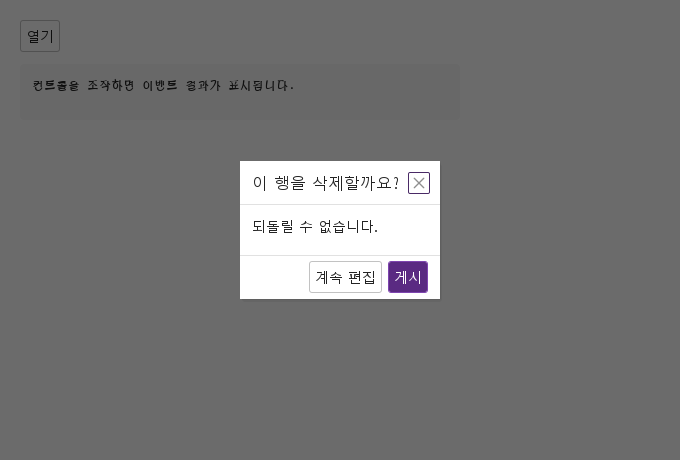
okText · cancelText 설정을 적용한 확인·취소 버튼 이름 예제입니다.

Qt 실행 화면 · 이미지
확인·취소 버튼 이름 · 열린 화면
QML 코드
import QtQuick
import Syidax.Core

Item {
    component EventLog: Rectangle {
        id: logBox
        property var lines: []
        implicitWidth: 440
        implicitHeight: Math.max(56, logText.implicitHeight + 24)
        radius: 4; color: Theme.semantic.backgroundBold
        function log(value) { lines = lines.slice(-3).concat([String(value)]) }
        Text {
            id: logText; x: 12; y: 12; width: parent.width - 24
            text: logBox.lines.length ? logBox.lines.join("\n") : "컨트롤을 조작하면 이벤트 결과가 표시됩니다."
            wrapMode: Text.Wrap; color: Theme.semantic.textDefault
            font.family: Theme.monoFontFamily; font.pixelSize: 12
        }
    }

    implicitWidth: Math.max(360, childrenRect.width)
    implicitHeight: childrenRect.height

    property QtObject settings: QtObject {
        id: storyArgs
        property string variant: "dialog"
        property string title: "이 행을 삭제할까요?"
        property bool closable: true
        property bool hideFooter: false
        property bool maskClosable: false
        property bool maskless: false
        property bool enableModalMaximize: false
        property string animation: "none"
        property string cancelText: "계속 편집"
        property string okText: "게시"
    }


    Column {
        spacing: 12
        SyModal {
            id: dialog
            variant: storyArgs.variant
            title: storyArgs.title
            closable: storyArgs.closable
            hideFooter: storyArgs.hideFooter
            maskClosable: storyArgs.maskClosable
            maskless: storyArgs.maskless
            enableModalMaximize: storyArgs.enableModalMaximize
            animation: storyArgs.animation
            cancelText: storyArgs.cancelText
            okText: storyArgs.okText
            onClosed: (detail) => output.log(detail.event)
            Text { text: "되돌릴 수 없습니다."; font.family: Theme.fontFamily; font.pixelSize: 14; color: Theme.modal.contentTextEnabled }
        }
        SyButton { text: "열기"; onClicked: dialog.setOpen() }
        EventLog { id: output }
    }

}

08 배경 마스크 없는 대화상자

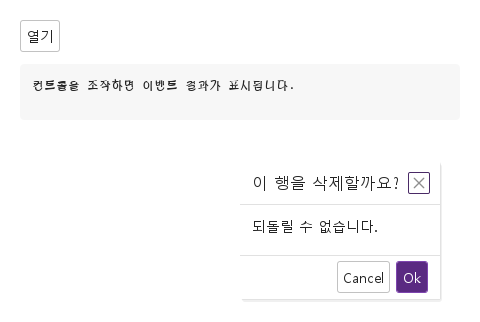
maskless 설정을 적용한 배경 마스크 없는 대화상자 예제입니다.

Qt 실행 화면 · 이미지
배경 마스크 없는 대화상자 · 열린 화면
QML 코드
import QtQuick
import Syidax.Core

Item {
    component EventLog: Rectangle {
        id: logBox
        property var lines: []
        implicitWidth: 440
        implicitHeight: Math.max(56, logText.implicitHeight + 24)
        radius: 4; color: Theme.semantic.backgroundBold
        function log(value) { lines = lines.slice(-3).concat([String(value)]) }
        Text {
            id: logText; x: 12; y: 12; width: parent.width - 24
            text: logBox.lines.length ? logBox.lines.join("\n") : "컨트롤을 조작하면 이벤트 결과가 표시됩니다."
            wrapMode: Text.Wrap; color: Theme.semantic.textDefault
            font.family: Theme.monoFontFamily; font.pixelSize: 12
        }
    }

    implicitWidth: Math.max(360, childrenRect.width)
    implicitHeight: childrenRect.height

    property QtObject settings: QtObject {
        id: storyArgs
        property string variant: "dialog"
        property string title: "이 행을 삭제할까요?"
        property bool closable: true
        property bool hideFooter: false
        property bool maskClosable: false
        property bool maskless: true
        property bool enableModalMaximize: false
        property string animation: "none"
        property string cancelText: ""
        property string okText: ""
    }


    Column {
        spacing: 12
        SyModal {
            id: dialog
            variant: storyArgs.variant
            title: storyArgs.title
            closable: storyArgs.closable
            hideFooter: storyArgs.hideFooter
            maskClosable: storyArgs.maskClosable
            maskless: storyArgs.maskless
            enableModalMaximize: storyArgs.enableModalMaximize
            animation: storyArgs.animation
            cancelText: storyArgs.cancelText
            okText: storyArgs.okText
            onClosed: (detail) => output.log(detail.event)
            Text { text: "되돌릴 수 없습니다."; font.family: Theme.fontFamily; font.pixelSize: 14; color: Theme.modal.contentTextEnabled }
        }
        SyButton { text: "열기"; onClicked: dialog.setOpen() }
        EventLog { id: output }
    }

}

API 90

항목을 가리키거나 선택하면 QML 예제와 복사 버튼이 나타납니다.

속성

속성타입기본값설명
boolfalse시트를 보임 / 숨김. setOpen()과 닫기 메서드가 설정.
string"dialog""dialog"(고정, 가운데) 또는 "modal"(끌기, 크기 조절, 최대화).
string"Modal"헤더 글자. ""면 숨김.
list (alias)—제목 뒤의 아이템
list (alias)—기본 버튼을 대신하는 아이템.
——본문 아이템(12 px 여백, 잘림).
string""기본 버튼의 글자("" = "Cancel" / "Ok").
boolfalse×를 보이고 Escape로도 닫게 함(둘 다 이벤트 "close"). 없으면 Escape는 무시됨.
boolfalse푸터 행을 없앰.
boolfalse마스크 없음: 뒤의 애플리케이션이 보이고 클릭됨.
boolfalse마스크 클릭이 "close"로 닫음.
boolfalse최대화 아이콘과 setMaximum()("modal"만).
real-1시트 위 위치. -1 = 가운데.
real0크기. 0 = 내용 크기(최소 200 폭).
string"none"진입 / 종료: none · fade · fade-scale · zoom · pop · slide-top/bottom/left/right · slide-fade-… · slide · slide-fade · reveal.
string"fast"x-fast 100 · fast 150 · medium 250 · slow 350 · x-slow 500 ms.
string"top"방향 없는 슬라이드의 쪽과 거리.
real24방향 없는 슬라이드의 쪽과 거리.
colorTheme.semantic.backdropBackground마스크 색.
bool (읽기 전용)false"modal" 창이 시트를 채우는지.
bool (읽기 전용)—variant === "modal" · footer에 아이템이 있음.
string"closed"closed · opening · open · closing · 시트가 보이는지.
bool (읽기 전용)"closed"closed · opening · open · closing · 시트가 보이는지.
Item (읽기 전용)—창 전체 크기의 시트(width / height는 창의 것).
real—복원 기하(끌기 / 크기 조절 전까지 창 속성에 바인딩).
real (읽기 전용)—내용이 필요한 크기.
string"close"다음 closed가 보고할 것.
varundefined다음 closed가 보고할 것.

메서드

메서드설명
open = true. 창을 다시 배치하고 진입을 재생.
이벤트 "close" / "cancel" / "ok"와 그 value로 닫음.
maximized를 토글("modal" + enableModalMaximize만).
기하를 windowX / windowY / windowWidth / windowHeight에 다시 바인딩.

시그널

시그널인자시점
detail: { event, value, maximized, position: { top, left, width, height } }모든 닫힘의 종료 애니메이션 뒤. event는 "ok", "cancel", "close".
—open이 바뀜(애니메이션 전).
—진입 애니메이션이 끝남(phase가 "open").
—종료 애니메이션이 끝나고 시트가 숨겨짐. closed 직전.
—패널 바깥의 마스크 클릭 — maskClosable이 꺼져 있어도.
—시트에서 Escape(closable이면 그 뒤 모달이 닫힘).

동작

항목동작 / 조건
모달 아이템은 visible: false이며 부모 안에서 아무 자리도 차지하지 않습니다.
시트를 보임 / 숨김. setOpen()과 닫기 메서드가 설정.
open이 true가 되면 창 전체 크기의 시트(창 오버레이의 자식, z 100)가 마스크(mask, !maskless에 바인딩; 색은 maskColor)와 패널과 함께 보입니다.
마스크 없음: 뒤의 애플리케이션이 보이고 클릭됨.
마스크 색.
패널 바깥의 마스크 클릭 — maskClosable이 꺼져 있어도.
open = true. 창을 다시 배치하고 진입을 재생.
setClose(value) / setCancel(value) / setOk(value)는 이벤트와 값을 저장하고 open = false로 둡니다.
×를 보이고 Escape로도 닫게 함(둘 다 이벤트 "close"). 없으면 Escape는 무시됨.
마스크 클릭이 "close"로 닫음.
종료 애니메이션이 끝나고 시트가 숨겨짐. closed 직전.
모든 닫힘의 종료 애니메이션 뒤. event는 "ok", "cancel", "close".
진입 / 종료: none · fade · fade-scale · zoom · pop · slide-top/bottom/left/right · slide-fade-… · slide · slide-fade · reveal.
animation이 진입과 종료를 이름합니다: "none"(기본), "fade", "fade-scale"(95 %에서), "zoom"(80 %에서), "pop"(90 %에서, 넘침 효과), "slide-top" / "slide-bottom" / "slide-left" / "slide-right"(24 px, slideDistance), "slide-fade-…"(슬라이드와 페이드), "slide" / "slide-fade" / "reveal"(slideSide에서, 기본 "top").
x-fast 100 · fast 150 · medium 250 · slow 350 · x-slow 500 ms.
phase는 "closed" → "opening" → "open" → "closing"을 보고하고, entered()는 진입이 끝날 때 발생합니다.
진입 애니메이션이 끝남(phase가 "open").
패널은 시트 위 panelX, panelY에 panelW × panelH로 놓입니다: windowWidth / windowHeight가 0보다 크면 그 값, 아니면 내용 크기(contentWidth = 본문 + 24 px, 최소 200; contentHeight = 44 px 헤더 + 본문 더하기 24 px(최소 50 px) + 보일 때 44 px 푸터); windowX / windowY가 0 이상이면 그 값, 아니면 가운데.
패널은 시트 위 panelX, panelY에 panelW × panelH로 놓입니다: windowWidth / windowHeight가 0보다 크면 그 값, 아니면 내용 크기(contentWidth = 본문 + 24 px, 최소 200; contentHeight = 44 px 헤더 + 본문 더하기 24 px(최소 50 px) + 보일 때 44 px 푸터); windowX / windowY가 0 이상이면 그 값, 아니면 가운데. 본문은 잘리고 12 px 여백을 가지므로, 넓은 내용에는 명시적 폭을 주거나 windowWidth를 설정하십시오.
패널은 시트 위 panelX, panelY에 panelW × panelH로 놓입니다: windowWidth / windowHeight가 0보다 크면 그 값, 아니면 내용 크기(contentWidth = 본문 + 24 px, 최소 200; contentHeight = 44 px 헤더 + 본문 더하기 24 px(최소 50 px) + 보일 때 44 px 푸터); windowX / windowY가 0 이상이면 그 값, 아니면 가운데.
기하를 windowX / windowY / windowWidth / windowHeight에 다시 바인딩.
"dialog"(고정, 가운데) 또는 "modal"(끌기, 크기 조절, 최대화).
최대화 아이콘과 setMaximum()("modal"만).
"modal" 창이 시트를 채우는지.
maximized를 토글("modal" + enableModalMaximize만).
헤더 글자. ""면 숨김.
헤더는 44 px: title(16 px, 중간 굵기, 생략), 그다음 header 아이템, 그다음 최대화 아이콘과 ×.
푸터는 44 px이며 footer 아이템이 오른쪽 정렬됩니다. footer가 비어 있으면 기본 *Cancel*(cancelText, 기본 "Cancel")과 *Ok*(okText, 기본 "Ok", primary) 버튼이 보이고, hideFooter는 푸터를 통째로 없앱니다.
footer가 비어 있으면 기본 *Cancel*(cancelText, 기본 "Cancel")과 *Ok*(okText, 기본 "Ok", primary) 버튼이 보이고, hideFooter는 푸터를 통째로 없앱니다.
푸터 행을 없앰.

키보드

항목동작 / 조건
SyDrawer(같은 시트 베이스 위, 창 가장자리의 패널), SyModeless(아이템 안에 떠 있는 창), SyPopconfirm(버튼에 붙는 질문), SyButton(푸터).