QML
← 전체 컴포넌트

Modeless

앱 안에 이동 가능한 창을 띄우면서 주변 화면도 계속 사용할 수 있게 합니다. 도구 창이나 보조 작업 창에 사용합니다.

import Syidax.Core.Modeless

지원 QML 타입

타입정의 / 역할
앱 안에서 이동·크기 조절이 가능한 비모달 창입니다.
여러 비모달 창의 겹침 순서와 생성·닫기를 관리합니다.

예제로 보기

미리보기는 Qt 실행 화면의 이미지입니다. 아래 버튼으로 결과를 전환하세요.

01 기본 구성

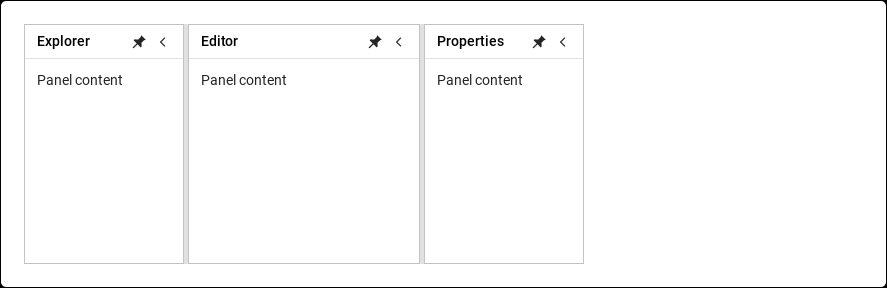
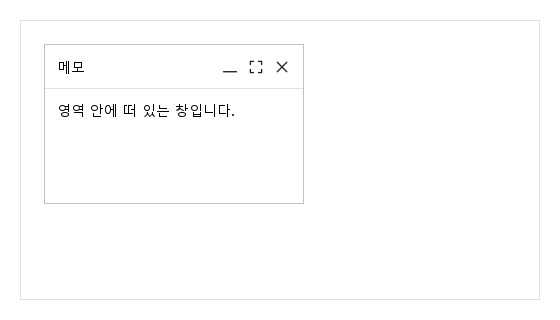
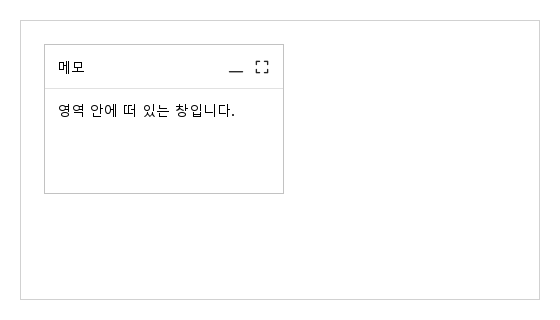
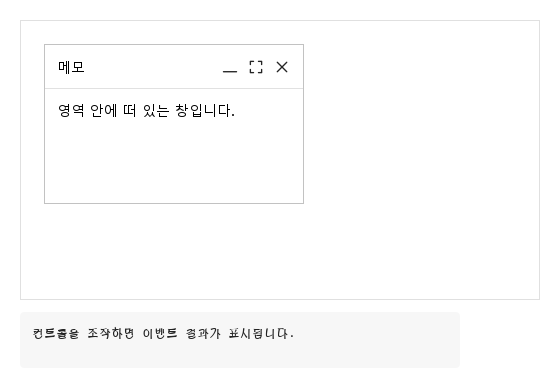
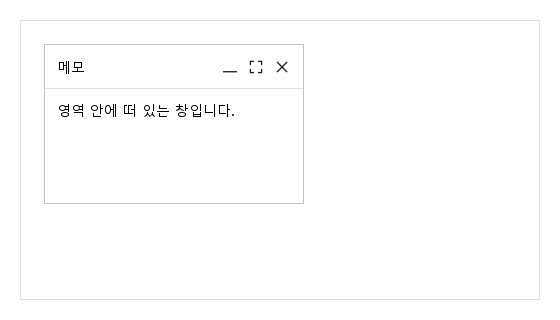
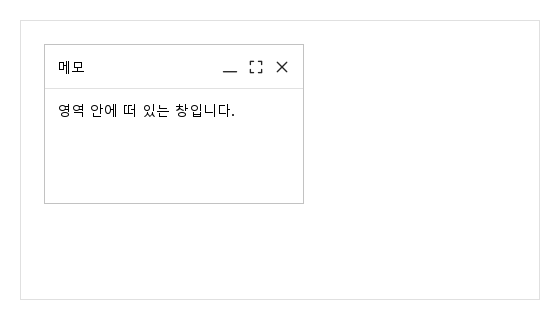
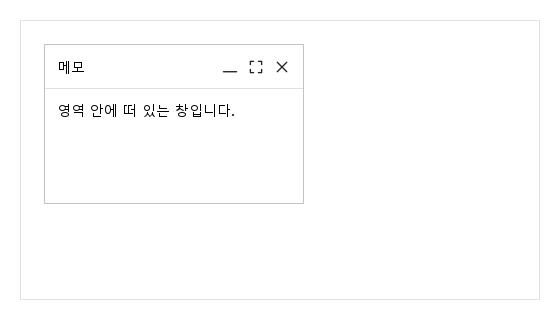
SyModeless는 아이템 안에 떠 있는 창입니다 — SyModal처럼 애플리케이션 창 전체 위가 아니라, 선언된 아이템(보통 SyModelessGroup)의 영역 안에 있습니다: title, 직접 넣은 header 아이템, 최소화 / 최대화 / 닫기 아이콘이 있는 44 px 헤더와 그 아래에 안에 선언한 내용.

Qt 실행 화면 · 이미지
기본 구성 · 열린 화면
QML 코드
import QtQuick
import Syidax.Core

Item {
    implicitWidth: Math.max(360, childrenRect.width)
    implicitHeight: childrenRect.height

    property QtObject settings: QtObject {
        id: storyArgs
        property string title: "메모"
        property bool isDraggable: true
        property bool resizable: true
        property bool closable: true
        property bool minimizable: true
        property bool maximizable: true
        property bool edge: true
    }


    Rectangle {
        width: 520
        height: 280
        color: "transparent"
        border.width: 1
        border.color: Theme.semantic.borderSubtlest
        SyModelessGroup {
            anchors.fill: parent
            SyModeless { id: exampleControl1; 
                name: "notes"
                title: storyArgs.title
                open: true
                x: 24; y: 24; width: 260; height: 160
                isDraggable: storyArgs.isDraggable
                resizable: storyArgs.resizable
                closable: storyArgs.closable
                minimizable: storyArgs.minimizable
                maximizable: storyArgs.maximizable
                edge: storyArgs.edge
                Text { text: "영역 안에 떠 있는 창입니다."; width: parent.width; wrapMode: Text.Wrap; font.family: Theme.fontFamily; font.pixelSize: 14; color: Theme.modeless.contentTextEnabled }
            }
        }
    }

}

02 minimum · maximum

창에는 세 상태가 있고 읽기 전용 windowStatus가 이를 알립니다: "restore"(자기 기하), "minimum", "maximum".

Qt 실행 화면 · 이미지
minimum · maximum · 열린 화면
QML 코드
import QtQuick
import Syidax.Core

Item {
    implicitWidth: Math.max(360, childrenRect.width)
    implicitHeight: childrenRect.height
    id: story
    // Focused Gallery routes: one window makes each status change observable.
    property QtObject settings: QtObject { id: storyArgs; property bool minimum: false; property bool maximum: false }

    
    Rectangle {
        width: 520; height: 280
        color: "transparent"; border.color: Theme.semantic.borderSubtle
        SyModelessGroup {
            anchors.fill: parent
            SyModeless { id: exampleControl1; 
                name: "notes"; title: "메모"; open: true
                x: 24; y: 24; width: 240; height: 150
                minimizable: true; maximizable: true
                minimum: storyArgs.minimum; maximum: storyArgs.maximum
                Text { text: "영역 안에 떠 있는 창입니다."; width: parent.width; wrapMode: Text.Wrap; font.family: Theme.fontFamily; font.pixelSize: 14; color: Theme.modeless.contentTextEnabled }
            }
        }
    }
}

03 closed · statusChanged · positionChanged

모든 시그널은 id가 창의 name인 detail 객체 하나를 넘깁니다.

Qt 실행 화면 · 이미지
closed · statusChanged · positionChanged · 열린 화면
QML 코드
import QtQuick
import Syidax.Core

Item {
    component EventLog: Rectangle {
        id: logBox
        property var lines: []
        implicitWidth: 440
        implicitHeight: Math.max(56, logText.implicitHeight + 24)
        radius: 4; color: Theme.semantic.backgroundBold
        function log(value) { lines = lines.slice(-3).concat([String(value)]) }
        Text {
            id: logText; x: 12; y: 12; width: parent.width - 24
            text: logBox.lines.length ? logBox.lines.join("\n") : "컨트롤을 조작하면 이벤트 결과가 표시됩니다."
            wrapMode: Text.Wrap; color: Theme.semantic.textDefault
            font.family: Theme.monoFontFamily; font.pixelSize: 12
        }
    }

    implicitWidth: Math.max(360, childrenRect.width)
    implicitHeight: childrenRect.height
    // Focused Gallery routes: keep only the selected API and its prerequisites.
    id: featureStory


    Column {
        spacing: 12
        Rectangle {
            width: 520
            height: 280
            color: "transparent"
            border.width: 1
            border.color: Theme.semantic.borderSubtlest
            SyModelessGroup {
                anchors.fill: parent
                SyModeless { id: exampleControl1; 
                    name: "notes"; title: "메모"; open: true; x: 24; y: 24; width: 260; height: 160
                    isDraggable: true; resizable: true; closable: true; minimizable: true; maximizable: true
                    onClosed: (detail) => { if (true) { output.log(("closed: %1").arg(detail.id)) } }
                    onStatusChanged: (detail) => { if (true) { output.log(("statusChanged: %1 %2").arg(detail.id).arg(detail.status)) } }
                    onPositionChanged: (detail) => { if (true) { output.log(("positionChanged: %1, %2").arg(detail.left).arg(detail.top)) } }
                    Text { text: "영역 안에 떠 있는 창입니다."; width: parent.width; wrapMode: Text.Wrap; font.family: Theme.fontFamily; font.pixelSize: 14; color: Theme.modeless.contentTextEnabled }
                }
            }
        }
        EventLog { id: output }
    }
}

04 create · updateTitle · updateContent · close · closeAll · setMinimum · setMaximum · setRestore

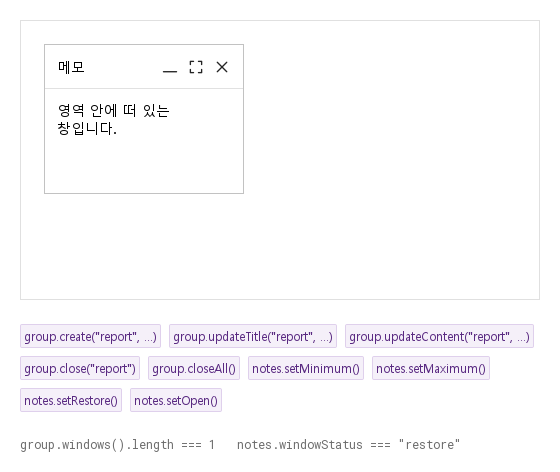
창(SyModeless)의 메서드:

Qt 실행 화면 · 이미지
create · updateTitle · updateContent · close · closeAll · setMinimum · setMaximum · setRestore · 열린 화면
QML 코드
import QtQuick
import Syidax.Core

Item {
    implicitWidth: Math.max(360, childrenRect.width)
    implicitHeight: childrenRect.height
    // Focused Gallery routes: keep only the selected API and its prerequisites.
    id: featureStory

    Column {
        spacing: 24
        Rectangle {
            width: 520
            height: 280
            color: "transparent"
            border.width: 1
            border.color: Theme.semantic.borderSubtlest
            SyModelessGroup { id: group; anchors.fill: parent; SyModeless { id: notes; name: "notes"; title: "메모"; open: true; x: 24; y: 24; isDraggable: true; minimizable: true; maximizable: true; closable: true; Text { text: "영역 안에 떠 있는 창입니다."; width: parent.width; wrapMode: Text.Wrap; font.family: Theme.fontFamily; font.pixelSize: 14; color: Theme.modeless.contentTextEnabled } } }
        }
        Flow {
            width: 520
            spacing: 8
            SyButton { id: exampleControl1;  visible: true; text: "group.create(\"report\", …)"; variant: "secondary"; size: "small"; onClicked: group.create("report", "보고서", "create()로 만든 창입니다.", { left: 240, top: 60, resizable: true }) }
            SyButton { id: exampleControl2;  visible: true; text: "group.updateTitle(\"report\", …)"; variant: "secondary"; size: "small"; onClicked: group.updateTitle("report", "이름 바꿈") }
            SyButton { id: exampleControl3;  visible: true; text: "group.updateContent(\"report\", …)"; variant: "secondary"; size: "small"; onClicked: group.updateContent("report", "새 내용입니다.") }
            SyButton { visible: true; text: "group.close(\"report\")"; variant: "secondary"; size: "small"; onClicked: group.close("report") }
            SyButton { visible: true; text: "group.closeAll()"; variant: "secondary"; size: "small"; onClicked: group.closeAll() }
            SyButton { visible: true; text: "notes.setMinimum()"; variant: "secondary"; size: "small"; onClicked: notes.setMinimum() }
            SyButton { visible: true; text: "notes.setMaximum()"; variant: "secondary"; size: "small"; onClicked: notes.setMaximum() }
            SyButton { visible: true; text: "notes.setRestore()"; variant: "secondary"; size: "small"; onClicked: notes.setRestore() }
            SyButton { visible: true; text: "notes.setOpen()"; variant: "secondary"; size: "small"; onClicked: notes.setOpen() }
        }
        Text {
            text: "group.windows().length === " + group.windowList.length + "   notes.windowStatus === " + JSON.stringify(notes.windowStatus)
            font.family: Theme.monoFontFamily
            font.pixelSize: 12
            color: Theme.semantic.textSubtle
        }
    }
}

05 고정 도구 창

isDraggable · resizable 설정을 적용한 고정 도구 창 예제입니다.

Qt 실행 화면 · 이미지
고정 도구 창 · 열린 화면
QML 코드
import QtQuick
import Syidax.Core

Item {
    implicitWidth: Math.max(360, childrenRect.width)
    implicitHeight: childrenRect.height

    property QtObject settings: QtObject {
        id: storyArgs
        property string title: "메모"
        property bool isDraggable: false
        property bool resizable: false
        property bool closable: true
        property bool minimizable: true
        property bool maximizable: true
        property bool edge: true
    }


    Rectangle {
        width: 520
        height: 280
        color: "transparent"
        border.width: 1
        border.color: Theme.semantic.borderSubtlest
        SyModelessGroup {
            anchors.fill: parent
            SyModeless { id: exampleControl1; 
                name: "notes"
                title: storyArgs.title
                open: true
                x: 24; y: 24; width: 260; height: 160
                isDraggable: storyArgs.isDraggable
                resizable: storyArgs.resizable
                closable: storyArgs.closable
                minimizable: storyArgs.minimizable
                maximizable: storyArgs.maximizable
                edge: storyArgs.edge
                Text { text: "영역 안에 떠 있는 창입니다."; width: parent.width; wrapMode: Text.Wrap; font.family: Theme.fontFamily; font.pixelSize: 14; color: Theme.modeless.contentTextEnabled }
            }
        }
    }

}

06 크기 조절 도구 창

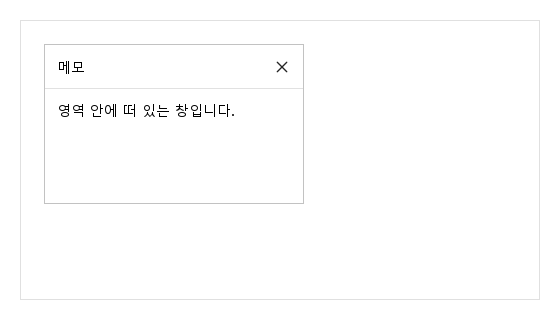
resizable 설정을 적용한 크기 조절 도구 창 예제입니다.

Qt 실행 화면 · 이미지
크기 조절 도구 창 · 열린 화면
QML 코드
import QtQuick
import Syidax.Core

Item {
    implicitWidth: Math.max(360, childrenRect.width)
    implicitHeight: childrenRect.height

    property QtObject settings: QtObject {
        id: storyArgs
        property string title: "메모"
        property bool isDraggable: true
        property bool resizable: true
        property bool closable: true
        property bool minimizable: true
        property bool maximizable: true
        property bool edge: true
    }


    Rectangle {
        width: 520
        height: 280
        color: "transparent"
        border.width: 1
        border.color: Theme.semantic.borderSubtlest
        SyModelessGroup {
            anchors.fill: parent
            SyModeless { id: exampleControl1; 
                name: "notes"
                title: storyArgs.title
                open: true
                x: 24; y: 24; width: 260; height: 160
                isDraggable: storyArgs.isDraggable
                resizable: storyArgs.resizable
                closable: storyArgs.closable
                minimizable: storyArgs.minimizable
                maximizable: storyArgs.maximizable
                edge: storyArgs.edge
                Text { text: "영역 안에 떠 있는 창입니다."; width: parent.width; wrapMode: Text.Wrap; font.family: Theme.fontFamily; font.pixelSize: 14; color: Theme.modeless.contentTextEnabled }
            }
        }
    }

}

07 본문 중심 도구 창

minimizable · maximizable 설정을 적용한 본문 중심 도구 창 예제입니다.

Qt 실행 화면 · 이미지
본문 중심 도구 창 · 열린 화면
QML 코드
import QtQuick
import Syidax.Core

Item {
    implicitWidth: Math.max(360, childrenRect.width)
    implicitHeight: childrenRect.height

    property QtObject settings: QtObject {
        id: storyArgs
        property string title: "메모"
        property bool isDraggable: true
        property bool resizable: true
        property bool closable: true
        property bool minimizable: false
        property bool maximizable: false
        property bool edge: true
    }


    Rectangle {
        width: 520
        height: 280
        color: "transparent"
        border.width: 1
        border.color: Theme.semantic.borderSubtlest
        SyModelessGroup {
            anchors.fill: parent
            SyModeless { id: exampleControl1; 
                name: "notes"
                title: storyArgs.title
                open: true
                x: 24; y: 24; width: 260; height: 160
                isDraggable: storyArgs.isDraggable
                resizable: storyArgs.resizable
                closable: storyArgs.closable
                minimizable: storyArgs.minimizable
                maximizable: storyArgs.maximizable
                edge: storyArgs.edge
                Text { text: "영역 안에 떠 있는 창입니다."; width: parent.width; wrapMode: Text.Wrap; font.family: Theme.fontFamily; font.pixelSize: 14; color: Theme.modeless.contentTextEnabled }
            }
        }
    }

}

08 가장자리 핸들

edge 설정을 적용한 가장자리 핸들 예제입니다.

Qt 실행 화면 · 이미지
가장자리 핸들 · 열린 화면
QML 코드
import QtQuick
import Syidax.Core

Item {
    implicitWidth: Math.max(360, childrenRect.width)
    implicitHeight: childrenRect.height

    property QtObject settings: QtObject {
        id: storyArgs
        property string title: "메모"
        property bool isDraggable: true
        property bool resizable: true
        property bool closable: true
        property bool minimizable: true
        property bool maximizable: true
        property bool edge: true
    }


    Rectangle {
        width: 520
        height: 280
        color: "transparent"
        border.width: 1
        border.color: Theme.semantic.borderSubtlest
        SyModelessGroup {
            anchors.fill: parent
            SyModeless { id: exampleControl1; 
                name: "notes"
                title: storyArgs.title
                open: true
                x: 24; y: 24; width: 260; height: 160
                isDraggable: storyArgs.isDraggable
                resizable: storyArgs.resizable
                closable: storyArgs.closable
                minimizable: storyArgs.minimizable
                maximizable: storyArgs.maximizable
                edge: storyArgs.edge
                Text { text: "영역 안에 떠 있는 창입니다."; width: parent.width; wrapMode: Text.Wrap; font.family: Theme.fontFamily; font.pixelSize: 14; color: Theme.modeless.contentTextEnabled }
            }
        }
    }

}

API 89

항목을 가리키거나 선택하면 QML 예제와 복사 버튼이 나타납니다.

속성 · SyModeless

속성타입기본값설명
string""모든 시그널이 보고하고 그룹의 메서드가 쓰는 id.
string""헤더 글자(14 px, 중간 굵기, 생략).
list (alias)—헤더에서 아이콘 앞에 놓이는 아이템.
——헤더 아래의 내용(12 px 여백, 잘림).
boolfalse창을 보임. setOpen() / setClose()가 설정. false로 두면 closed를 내고 disposable 창은 파괴됨.
real0부모 안의 기하.
real0부모 안의 기하.
real200부모 안의 기하.
real150부모 안의 기하.
boolfalse헤더로 창을 끎(최대화 중에는 아님).
boolfalse가장자리와 모서리의 손잡이("restore"에서만).
boolfalse헤더 아이콘 셋. 최소 / 최대 메서드도 이를 요구.
boolfalse끌기와 크기 조절이 부모 안에 머묾.
boolfalse접힘 / 부모 가득 상태. 상호 배타적.
real180크기 조절이 허용하는 최소 크기.
real44크기 조절이 허용하는 최소 크기.
string"none"진입: none · fade · pop · 그 밖의 이름 = 페이드 + 크기.
string"fast"x-fast 100 · fast 150 · medium 250 · slow 350 · x-slow 500 ms.
boolfalse그룹에서 올라온 창.
varnull그룹(그룹이 설정).
boolfalseopen이 false가 되면 파괴됨 — setClose()든 대입이든(create()가 설정).
string (읽기 전용)"restore""restore" · "minimum" · "maximum".
real44헤더 높이
int (읽기 전용)—결정된 지속 시간.

속성 · SyModelessGroup

속성타입기본값설명
——안에 선언된 창(다른 아이템도 영역에 놓임).
var (array)[]등록된 창(windows()가 반환).
int0마지막에 올라온 창에 준 z.

메서드

메서드설명
진입과 함께 보임 · open = false로 둠(숨겨지고 closed를 내며 disposable이면 파괴; 닫혀 있으면 무시).
접기(minimizable 필요)
부모 채우기(maximizable 필요)
자기 기하로 복귀.
창을 올리고 활성으로 표시. activated를 냄.
edge일 때 창을 부모 안으로 되돌림.
창을 만들거나(또는 다시 열고 올려서) 반환.
id로 창을 바꿈(updateContent는 만든 창만).
창 하나 / 등록된 모든 창에 setClose().
등록된 창들
이름으로 하나 또는 null.
창을 맨 위에 두고 활성으로 표시.

시그널

시그널인자시점
detail: { id }open이 false가 됨: setClose()(×, group.close, closeAll, 직접 호출) 또는 직접 open = false.
detail: { id, status }maximum이나 minimum이 바뀜(아이콘, 메서드, 대입). 둘 사이를 곧장 바꾸면 두 번.
detail: { id, top, left, width, height }헤더 끌기나 손잡이 크기 조절이 끝남.
—창이 눌리거나 / 끌리거나 / 크기가 바뀌어 올라옴.
windowcreate()가 새 창을 만듦(기존 창을 반환할 때는 없음).

동작

항목동작 / 조건
창은 평범한 Item입니다: x, y, width(200), height(150)는 직접 정하고, visible은 open을 따릅니다.
창은 평범한 Item입니다: x, y, width(200), height(150)는 직접 정하고, visible은 open을 따릅니다. 헤더는 44 px이고 그 아래 내용은 12 px 여백에 잘립니다 — 글자에는 width: parent.width를 바인딩하십시오.
창은 평범한 Item입니다: x, y, width(200), height(150)는 직접 정하고, visible은 open을 따릅니다.
창을 보임. setOpen() / setClose()가 설정. false로 두면 closed를 내고 disposable 창은 파괴됨.
창을 올리고 활성으로 표시. activated를 냄.
그룹에서 올라온 창.
창이 눌리거나 / 끌리거나 / 크기가 바뀌어 올라옴.
헤더로 창을 끎(최대화 중에는 아님).
끌기와 크기 조절이 부모 안에 머묾.
가장자리와 모서리의 손잡이("restore"에서만).
"restore" · "minimum" · "maximum".
resizable이고 windowStatus가 "restore"면 네 가장자리의 8 px 띠와 모서리의 10 px 사각형이 창 크기를 바꾸며, minWidth × minHeight(180 × 44) 아래로는 절대 가지 않고, edge면 부모의 오른쪽 / 아래 가장자리를 절대 넘지 않습니다.
헤더 끌기나 손잡이 크기 조절이 끝남.
minimum은 창을 헤더로 접고(본문 숨김, 손잡이 꺼짐), maximum은 0, 0과 부모 크기로 둡니다(끌기와 손잡이 꺼짐).
아이콘: 최소화(최대화 중 숨김; 최소화 중에는 *펼치기*가 됨), 최대화(최소화 중 숨김; 최대화 중에는 *줄이기*가 됨), 닫기 — 각각 minimizable / maximizable / closable일 때만 보입니다.
setMinimum() / setMaximum()은 그 플래그를 따르고, 속성 대입은 따르지 않습니다.
maximum이나 minimum이 바뀜(아이콘, 메서드, 대입). 둘 사이를 곧장 바꾸면 두 번.
setOpen()은 창을 보이고 진입을 재생합니다: animation "none"(기본)은 즉시 보이고, 다른 이름은 불투명도 0에서 페이드 인하며 95 %에서 커집니다("fade"는 크기 유지; "pop"은 넘침) — animationSpeed(x-fast 100 · fast 150 · medium 250 · slow 350 · x-slow 500 ms; Theme.reducedMotion이면 즉시) 동안.
진입: none · fade · pop · 그 밖의 이름 = 페이드 + 크기.
x-fast 100 · fast 150 · medium 250 · slow 350 · x-slow 500 ms.
setClose()는 open = false로 둡니다: 창이 숨겨지고 closed({ id })를 내며 create()로 만든 창이면 파괴됩니다.
open이 false가 됨: setClose()(×, group.close, closeAll, 직접 호출) 또는 직접 open = false.
창을 만들거나(또는 다시 열고 올려서) 반환.
그룹(그룹이 설정).
등록된 창(windows()가 반환).
windowList / windows()가 현재 목록이고, find(id)가 name으로 하나를 찾습니다.
모든 시그널이 보고하고 그룹의 메서드가 쓰는 id.
create / updateContent에 준 content는 창 본문에 놓입니다: 문자열은 줄 바꿈되는 14 px 글자가 되고, Component는 창 안에 인스턴스화되며, Item은 창 안으로 옮겨집니다. create / updateContent가 이전에 넣은 내용은 먼저 파괴됩니다. updateContent는 QML에서 선언한 창에는 효과가 없습니다.
안에 선언된 창(다른 아이템도 영역에 놓임).

키보드

항목동작 / 조건
SyModal(애플리케이션 창 위의 막는 창), SyDrawer(가장자리 패널), SyCard(정적인 테두리 패널), SyBadge / SyTag(헤더 아이템).